
PC Store Together Display PCs: Price Tags and Showroom Sales
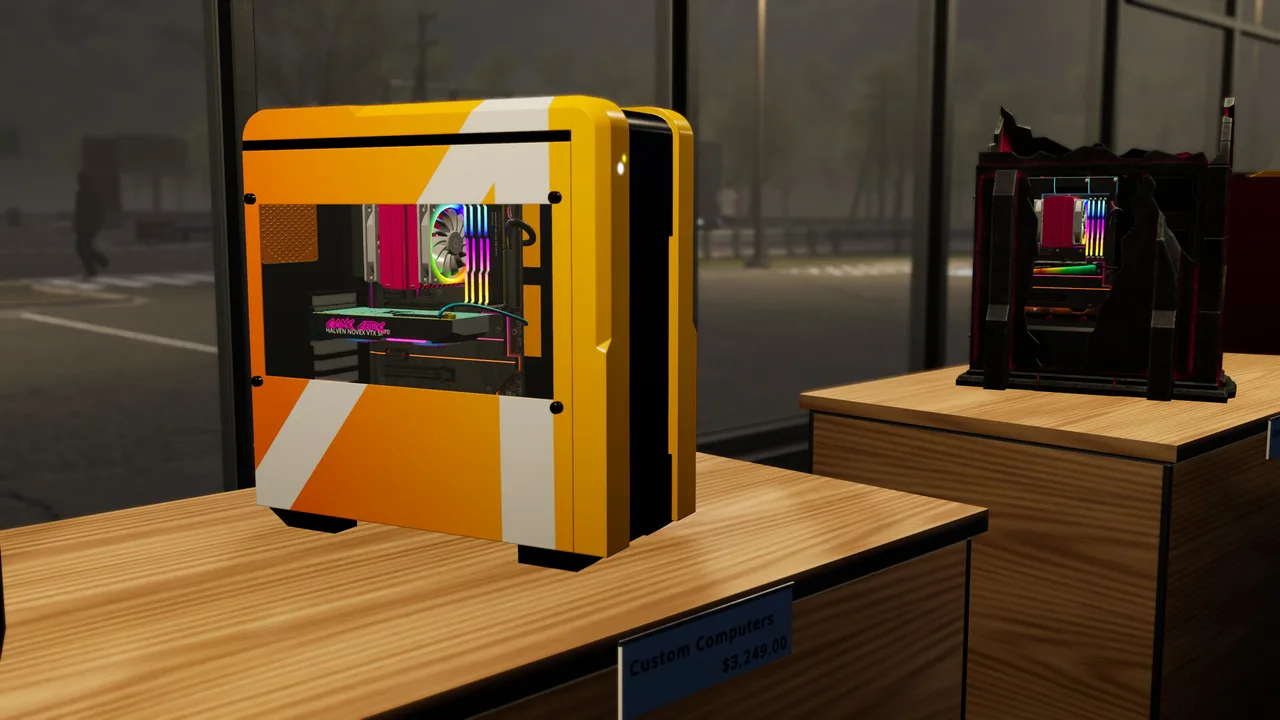
Sell more custom builds in PC Store Together with display PCs: choose the showpiece, set a price tag, keep it current and use the bench to back up the sale.
Quick answer: A display PC is a finished custom build on a stand with a price tag. Use your best balanced build, price it as a whole machine, keep the tag current and replace it when it sells. It is marketing that can also pay rent.
Official source: PC Store Together on Steam ↗
A display PC does two jobs: it shows customers what the shop can build and it sells without a special order. The mistake is treating the display as decoration. A showpiece with an old price tag or a build that cannot pass its own load test is worse than an empty stand. This page covers the display economy. For the price math, see the pricing guide→.
What makes a good display build
- Balanced parts. A flagship GPU with a weak CPU looks impressive and benchmarks badly.
- A clean case. The side panel and cable work are part of the sale.
- A passed load test. The machine on display must be a machine you would sell.
- A price the customer can justify. The tag is an invitation, not a dare.
The GPU guide→ covers the card hierarchy. Use the best card the build can actually support, not the most expensive one in the shop.
Setting the price tag
Price the display like any custom build:
- Add the parts cost.
- Add the bench time.
- Add the margin.
- Check the total against the customer who walks in.
A display premium is fair when the machine is finished, tested and visible. It is not fair when the price is higher than the same build ordered at the counter.
The game's display tag is editable. A price that was right when the machine was built may be low after a market change. Check the tag when parts prices move.
Display versus custom order
| Display PC | Custom order |
|---|---|
| Sells immediately | Sells after the build |
| Ties up parts in advance | Uses the customer's budget |
| Shows the shop's quality | Fits the customer's exact needs |
| Needs a price the walk-in will accept | Needs a quote the customer will approve |
A shop with one display and one open build covers both. A shop with three displays and no cash cannot finish any of them.
Keeping the display current
- Replace sold displays quickly. An empty stand loses the marketing.
- Update the tag when prices change. An old tag sells the machine short.
- Rebuild when the tier moves. A display from ten hours ago may be a budget build now.
- Keep it clean. Dust and cables are part of the impression.
When not to use a display
- The build cannot pass the load test.
- The cash buffer cannot survive the parts.
- The shop has no stand or space.
- The customer flow is too low to justify the showpiece.
A display is inventory. Treat it like inventory, not like a trophy.
A machine with a compatibility warning or a throttling CPU will fail the sale and the reputation check.
FAQ
How many display PCs should I have? Start with one. Add a second when the first sells reliably and the cash buffer allows it.
Can I change the display price? Yes. Update the tag when the build or the market changes.
Why is nobody buying my display PC? Usually the price or the build balance. Check the benchmark and compare the tag to a custom order.
Does a display PC need a GPU? Yes. A machine without a graphics card is not a complete custom build and will not sell as one.
Sources and further reading
- PC Store Together on Steam ↗ — display and sales features.
- PC Store Together news hub ↗ — display-price fixes.
- Sykes Games ↗ — developer site.
- PC Store Together on SteamDB ↗ — update history.