
PC Store Together Guide: Build, Diagnose, Profit
A start-to-finish PC Store Together guide: the build loop, the repair loop, pricing rules and the order to read each system in.
Quick answer: PC Store Together runs on three loops. You build custom PCs from compatible parts, you diagnose customer machines by testing one component at a time, and you price both jobs against part cost, reputation and risk. Learn the build order first, then the diagnosis order, then the pricing rules.
Official source: PC Store Together on Steam ↗
The game does not hand you a manual. It gives you a bench, a stock room and customers who describe a fault in one sentence. That is enough once you understand the order the systems depend on. Start with the beginner guide→ if you have not opened the shop yet.
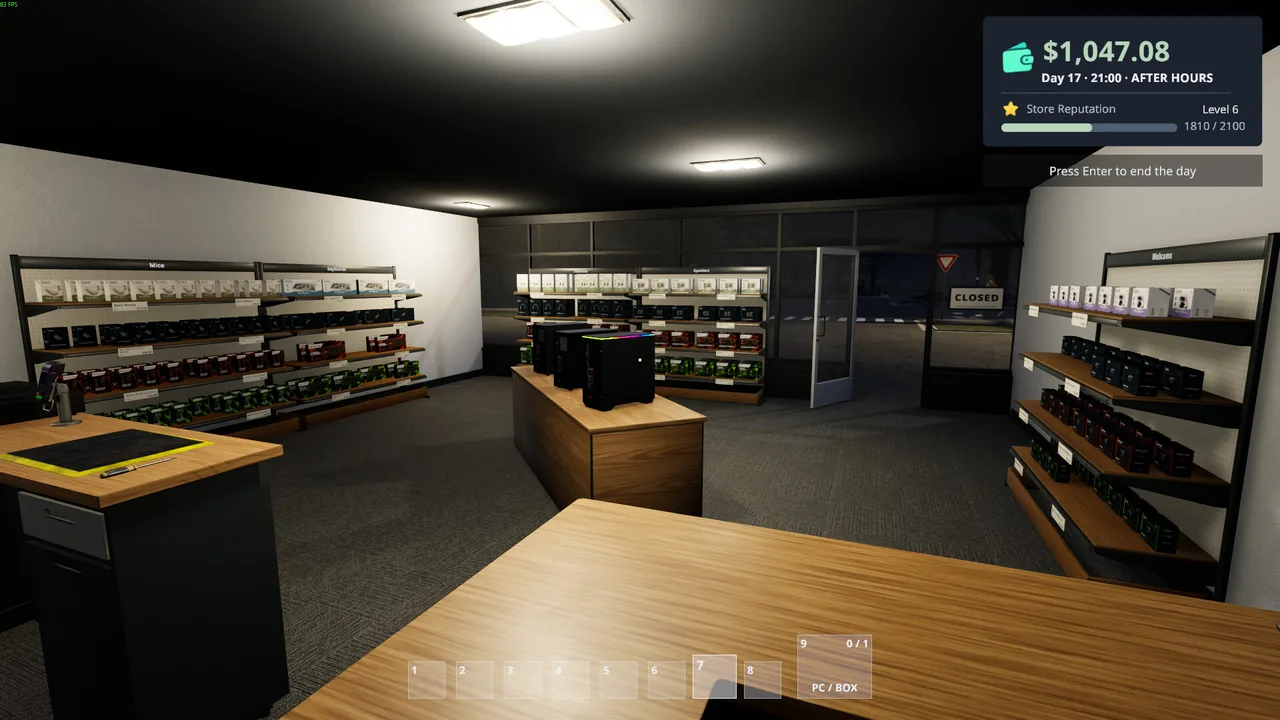
What you actually do each day
A day has three kinds of work, and they compete for the same hours.
| Work | What it consumes | What it pays |
|---|---|---|
| Custom builds | Parts, bench time, a compatible spec | The widest margin, plus reputation |
| Repair tickets | Diagnosis time, replacement parts | A fixed fee, reputation, repeat customers |
| Retail sales | Shelf stock and checkout time | Small, steady margin with no bench time |
New players usually over-invest in retail shelves because the revenue is immediate. The better opening is to keep one build on the bench and one repair ticket open, then add stock only when customers are already walking past empty shelves. The money guide→ breaks down the daily balance.
The build loop
Every custom PC follows the same sequence:
- Read the customer brief and budget.
- Pick the motherboard and CPU as a pair.
- Add memory in matched slots.
- Add storage, then the graphics card.
- Fit a power supply with headroom.
- Fit cooling that matches the CPU and the case.
- Close the panel, power on, and run the load test.
- Price the finished machine and sell it.
The order matters because each choice constrains the next one. A case that fits the board may not fit the graphics card. A power supply that runs the bench build may not survive the customer's upgrade. The build order guide→ covers the install sequence in detail.
Your first custom build should use the parts you already own and a case with room to spare. Profit comes from repetition, not from one hero machine.
The repair loop
Repairs look like a different game until you notice the structure:
- Read the ticket and the customer's own description.
- Reproduce the fault on the bench.
- Test the cheapest suspects first: cables, memory seating, storage.
- Swap one part at a time and re-test.
- Replace the confirmed faulty part.
- Complete every objective on the ticket.
- Send the ready message and wait for collection.
- Hand the PC over at the counter or to Tech Support.
Guessing is expensive because a wrong replacement stays in the machine and eats the fee. The diagnosis flowchart→ turns symptoms into an ordered test list so you do not loop.
The money loop
Three numbers decide whether a day was good:
- Parts cost. What the build or repair consumed.
- Sale price. What the customer actually agreed to pay.
- Reputation gain. Whether the job unlocks better customers.
A fast small job can beat a slow big one when the big one sits on the bench for two days. Reputation is the compounding asset: it gates licences, hardware tiers and customer patience. Spend bench time on jobs that move reputation, not only on jobs with the largest sticker price.
Which guide to read next
Use the hub as a map, not a walkthrough:
- Cannot finish a build? Read the compatibility guide→.
- Machine will not post? Start with why a PC won't boot→.
- Need a parts shortlist? Use the tier list→.
- Repair ticket stalled? Follow the repair order workflow→.
- Not making money? Read the pricing guide→.
Three mistakes that cost real money
Buying a GPU before checking the power supply. A high-tier card can force a PSU upgrade, which erases the margin. Check wattage before you commit.
Skipping the load test. A build that powers on can still throttle or shut down under load. The test is the only proof the customer will accept.
Replacing parts without confirming the fault. Test, swap, retest. A ticket with two replaced parts and no confirmed cause is a loss even when the PC eventually works.
Sources
- PC Store Together on Steam ↗ — store description, price and supported platforms.
- PC Store Together Steam news ↗ — launch patches and hotfix notes.
- PC Store Together on SteamDB ↗ — build history and player counts.
- Sykes Games ↗ — developer site.
FAQ
Is PC Store Together single-player only? No. It supports solo play and online co-op for up to four players.
How long is a day? Days advance when you end them at the counter. There is no hard real-time limit, so you can keep working until you choose to close.
Do I need to play the demo first? The demo has been replaced by the 1.0 release. Start with the full game and the beginner guide.
Can I sell a PC without a graphics card? No. A current patch requires a graphics card before a custom PC can be sold.