
PC Store Together Tier List: Best Parts by Category
A practical PC Store Together tier list for CPUs, GPUs, memory, storage, PSUs, cooling and cases, ranked by job value rather than sticker price.
Quick answer: Tier S parts are the ones that finish a build without forcing another upgrade. Tier A parts are safe defaults. Tier B parts are budget fillers. Tier C parts cost more bench time than they save. The best part is the one that matches the customer's budget, case and power supply.
Official source: PC Store Together on Steam ↗
There is no single best part in PC Store Together, because every part is judged against a build. A top-tier graphics card is S-tier in a 1200 W showcase build and C-tier in a 450 W repair. This list ranks by job value: how often the part turns a profit without creating a second problem. The wiki→ explains the underlying categories.
How the tiers work
| Tier | Meaning | When to buy |
|---|---|---|
| S | Completes the job with headroom to spare | High-budget builds, display PCs, reputation pushes |
| A | Reliable default with one compromise | Most customer builds |
| B | Saves money but narrows the build | Early game, tight budgets, repairs |
| C | Creates rework or a compatibility dead end | Only when the customer insists |
A part does not move up a tier because it is expensive. It moves up because it removes risk: thermal headroom, wattage headroom, slot compatibility, or case clearance.
CPUs
S: the highest-tier CPU the current reputation level allows, paired with a cooler one step above its stock requirement. The extra cooler capacity is what keeps the load test green.
A: mid-tier CPUs with a matching cooler. These are the bread-and-butter builds: enough performance for the customer's stated use, enough margin to price competitively.
B: entry CPUs in builds where the customer's budget is the constraint. Pair them with a board that leaves an upgrade path.
C: a high-wattage CPU on a board with weak cooling or a low-output PSU. The part itself is fine; the pairing is not.
Do not shop by model name alone. Open the tooltip and check the socket before you carry the box to the bench. A wrong-socket CPU is a hard rejection, not a slow build.
Graphics cards
S: Halven NoVex VTX 8090 Ultra. It is the card the official screenshots use in the 1200 W showcase build, and it is the safest way to hit a high benchmark score when the customer's budget allows it.
A: VTX 5070 and VTX 4060. These are the value sweet spot for custom builds: strong enough to justify a premium, not so power-hungry that they force a PSU upgrade.
B: VTX 3040 and VTX 2060. Good for budget builds and repairs where the customer only needs a display output.
C: Halven Legacy AG 100 and AG 300 Duo in a premium build. They work, but they cap the benchmark score and make a high price hard to defend.
The observed inventory screen lists resale values of roughly $12 for the AG 100, $41 for the AG 300 Duo, $37 for the VTX 2060 and higher for the 3000/4000/5000 series. Those are sell-back values, not the price you should charge a customer. Read the GPU guide→ before you set a build price.
Memory
S: matched sticks that fill the board's supported slots without exceeding the platform's practical limit. Stability beats raw capacity in a repair.
A: a two-stick kit in the correct paired slots. This is the default for custom builds.
B: a single stick when the budget is tight. It works, but the build sheet will show less headroom.
C: mismatched sticks or memory forced into the wrong slot. This is the most common cause of a three-beep no-POST, and the game will not let it slide.
If a repair arrives with a memory fault, test one stick at a time before replacing the whole kit. The three-beep guide→ covers the test order.
Storage, PSUs and cooling
| Category | S | A | B | C |
|---|---|---|---|---|
| Storage | Fast boot drive with spare capacity | Standard SSD | Small drive in a budget build | Failing drive left in a premium build |
| PSU | Rated well above peak draw | Rated above peak with one connector spare | Just enough for the current build | Below peak, or missing a GPU connector |
| CPU cooler | One step above the CPU's heat tier | Stock-equivalent for mid CPUs | Entry cooler on an entry CPU | Small cooler on a hot CPU |
| Case | Room for the largest card and cooler | Standard mid-tower | Compact case with a short card | Any case that will not close |
| Case fans | Front intake plus rear exhaust | Two fans in a sensible direction | One fan in a budget build | No airflow in a hot build |
The power supply is the part players most often mis-tier. A PSU that runs the bench build may not run the customer's card, and a shutdown under load looks like a GPU fault until you check wattage. Use the PSU guide→ for the headroom rule.
Peripherals and retail stock
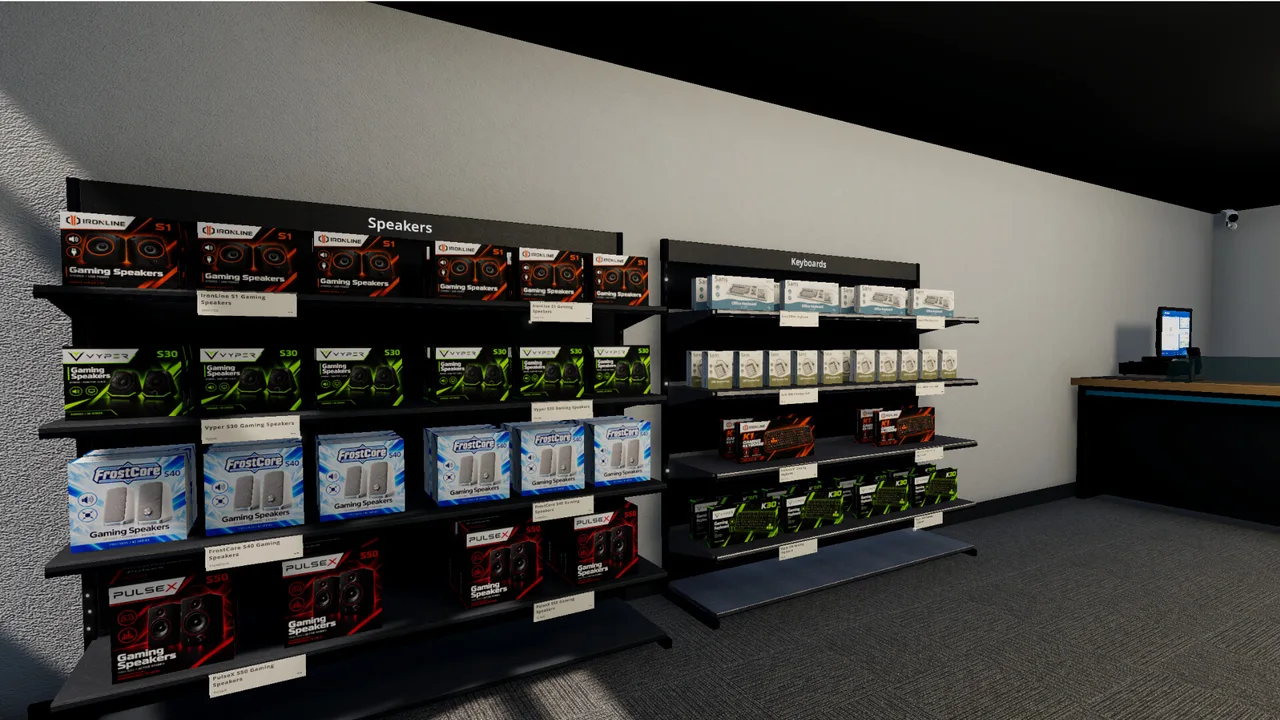
Peripherals are a different economy. They do not affect the build, so tier them by turnover, not performance:
- S: keyboards and mice that customers buy at checkout without asking questions.
- A: bundles that pair with a custom build.
- B: niche stock that sits on the shelf.
- C: anything you bought by the box before checking whether the shelf has space.
The stock screen sells boxes at a unit price; a box of ten is not ten sales unless customers actually walk in. The stock guide→ covers ordering discipline.
Before you install anything, say the build out loud: CPU, board, cooler, memory, GPU, PSU, case. If one item forces the next one up, the build is not S-tier yet.
Parts that look good and are not
The biggest GPU you can afford. It can force a PSU, a case and a cooler upgrade in the same build. The card is not the problem; the cascade is.
The cheapest PSU that powers on. It will pass idle and fail the load test, which costs a bench slot and a reputation hit.
A case with no clearance data. If the card or cooler does not fit, the whole build stops. Check the case before you fall in love with the card.
Mismatched memory in a repair. The machine may post and still fail under load. Test modules individually.
Sources
- PC Store Together on Steam ↗ — official part categories and feature list.
- PC Store Together Steam news ↗ — balance and optimisation patches.
- PC Store Together on SteamDB ↗ — update history.
- Sykes Games ↗ — developer site.
FAQ
What is the best GPU in PC Store Together? The Halven NoVex VTX 8090 Ultra is the top-tier card, but the VTX 5070 and 4060 are better value for most customer builds.
Is the tier list based on real hardware? No. It ranks the game's fictional parts by build value, using the categories and models visible in the released game.
Should I always buy S-tier parts? No. S-tier parts only pay off when the customer's budget and the rest of the build can support them.
Where do peripherals fit? They are retail stock, not build parts. Rank them by turnover and shelf space, not benchmark performance.