
PC Store Together Wiki: Parts, Brands and Mechanics
A PC Store Together wiki for the systems that matter: part categories, in-game brands, compatibility rules, heat, reputation and repair flow.
Quick answer: PC Store Together simulates a real PC shop at the component level. You install CPUs, memory, graphics cards, storage, power supplies, cooling and case fans by hand, and the game rejects wrong sockets, wrong slots and insufficient wattage. Reputation unlocks better parts and customers.
Official source: PC Store Together on Steam ↗
This page is the reference layer: the vocabulary, the part classes and the rules that repeat across every build and repair. For the practical order to do things in, use the complete guide→.
Part categories
| Category | What it determines | Common failure if mismatched |
|---|---|---|
| Motherboard | CPU socket, memory slots, card slots | CPU or RAM will not seat |
| CPU | Compute tier and heat output | Wrong socket, instant rejection |
| CPU cooler | Heat removal and clearance | Throttling, case panel will not close |
| Memory | Capacity and slot population | No POST, three-beep pattern |
| Graphics card | Display output and gaming tier | No display, weak benchmark score |
| Storage | Boot drive and load speed | Machine will not boot |
| Power supply | Total wattage and connectors | Shutdown under load |
| Case | Board, card and cooler clearance | Parts physically will not fit |
| Case fans | Airflow direction and noise | Heat soak, thermal shutdown |
| Peripherals | Retail stock and customer bundles | Wrong shelf stock, lost sale |
The game treats each category as a physical object, not a stat stick. You pick it up, rotate it, and install it into a specific slot. That is why the compatibility guide→ is more useful than a parts list.
In-game brands
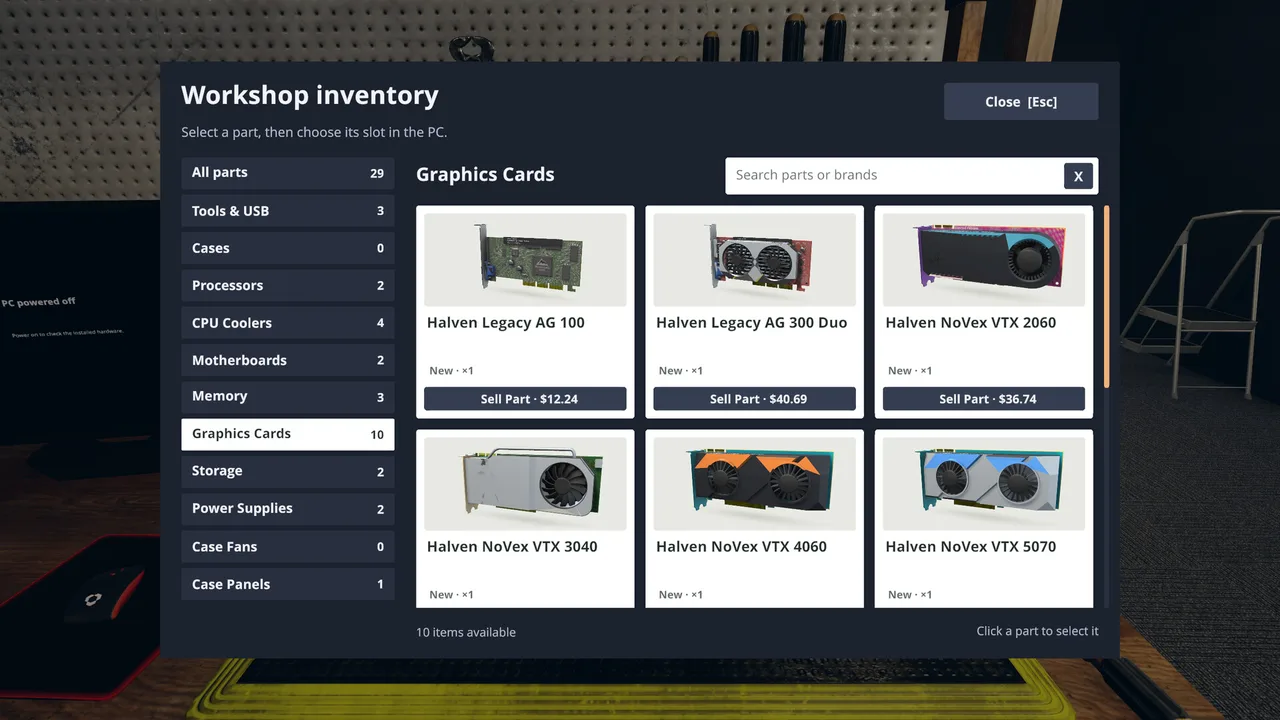
The store uses fictional brands rather than real hardware names. You will see these on boxes, labels and the stock screen:
| Brand | Category seen in game | Notes |
|---|---|---|
| Halven | Graphics cards | Legacy AG is the entry line, NoVex VTX the main line |
| Kryon | Power supplies, keyboards, mice | K-series PSUs, K90 keyboard, M90 mouse |
| Sans | Keyboards and mice | N10, C10, C20, M20 and K15 Pro |
| IronLine | Keyboards | K1 retail keyboard |
| FrostCore | Keyboards and cooling | K40 keyboard; cooling parts share the name |
| Viper | Keyboards | S30 and K30 stock |
| PulseX | Keyboards | S50 stock |
Do not assume a brand is uniformly good. A Kryon 850 W unit and a no-name 450 W unit are not interchangeable, and a Halven Legacy card is not a VTX card with a different sticker. Tier within the line, not by logo.
The compatibility rules that actually matter
There are four checksthe game performs before it lets a build run:
- Socket. The CPU must match the motherboard socket. A wrong socket is a hard rejection, not a warning.
- Slot type. Memory and graphics cards must match the slot the board provides. A card that physically fits the case can still be wrong for the board.
- Wattage. The combined load must stay under the power supply's rated output. The build sheet shows the budget.
- Cooling and clearance. The cooler must fit the socket and the case, and the case must close over the card.
A build can pass all four and still fail thermally. That is the fifth check, and the load test is how you find it. The PSU guide→ covers the wattage math; the overheating guide→ covers the thermal side.
A machine that lights up and posts can still shut down 20 seconds into the load test. Always finish the test before you price or hand over a build.
Heat, power and the load test
The thermal model is simple enough to plan around:
- 95 °C is the throttle point. The CPU reduces clocks and the benchmark score drops.
- 100 °C is the shutdown point. The test fails and the customer will not accept the machine.
- Idle and peak are shown separately on the monitor panel, along with a rolling graph.
The load test runs for roughly 25 seconds. Use the whole window: a cooler that survives ten seconds can still soak through at second twenty. If the peak line climbs instead of flattening, stop and fix the airflow before you sell. The load test guide→ explains how to read the graph.
Reputation and unlocks
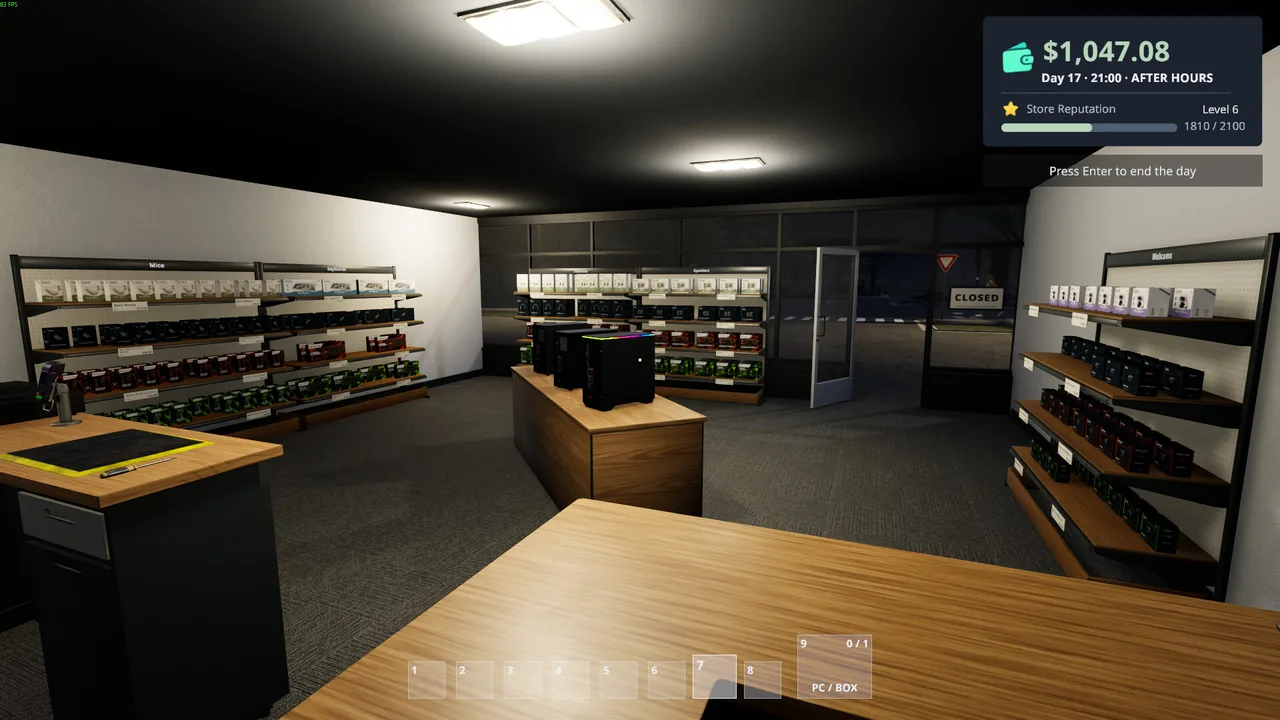
Reputation is the progression currency. It rises when you complete jobs and falls when customers reject a build or a repair. The HUD shows a level and a progress bar (for example, Level 6 at 1,810 / 2,100). Higher levels unlock:
- Better parts in the stock catalogue.
- Larger customer budgets.
- Shop licences that expand what you are allowed to sell.
- More display space and workbench capacity.
Do not chase level numbers by taking every ticket. A failed job costs more reputation than a skipped job. The shop upgrade guide→ explains which unlocks are worth rushing.
Repair vocabulary
| Term | Meaning |
|---|---|
| Ticket | The customer's request, shown on the left of the screen |
| Objective | A required step, such as install a part or scan for viruses |
| Load test | The benchmark that proves stability |
| Tech Support | The counter/service point used to hand over a finished repair |
| Collection booked | The customer has been told the PC is ready |
| Custom PC | A machine you assembled, as opposed to a repair |
| Display PC | A finished build placed on the shop floor with a price tag |
The distinction between a repair and a custom build matters for pricing. Repairs pay for time and parts; custom builds pay for the whole machine plus margin. The repair order guide→ walks through the ticket lifecycle.
What this wiki does not cover
It does not list story choices, achievements or cosmetic unlocks. It also does not invent CPU or motherboard model numbers: the game's catalogue changes with patches and reputation, and a static list would be wrong within a week. Use the in-game tooltip for the exact socket and wattage of the part in front of you.
Sources
- PC Store Together on Steam ↗ — official feature list and store description.
- PC Store Together Steam news ↗ — hotfix and optimisation notes.
- PC Store Together on SteamDB ↗ — patch history.
- Sykes Games ↗ — developer and publisher information.
FAQ
Is there a real wiki for PC Store Together? No official wiki exists. This site is an independent reference built from the released game and its patch notes.
Are the brands real? No. Halven, Kryon, Sans, IronLine, FrostCore, Viper and PulseX are fictional in-game brands.
What happens at 100 °C? The machine shuts down and the load test fails. A build that reaches 100 °C is not sellable until the cooling is fixed.
Does reputation affect part quality? Yes. Higher reputation unlocks higher hardware tiers in the catalogue and larger customer budgets.